intellego
Setup stays on the Welcome row
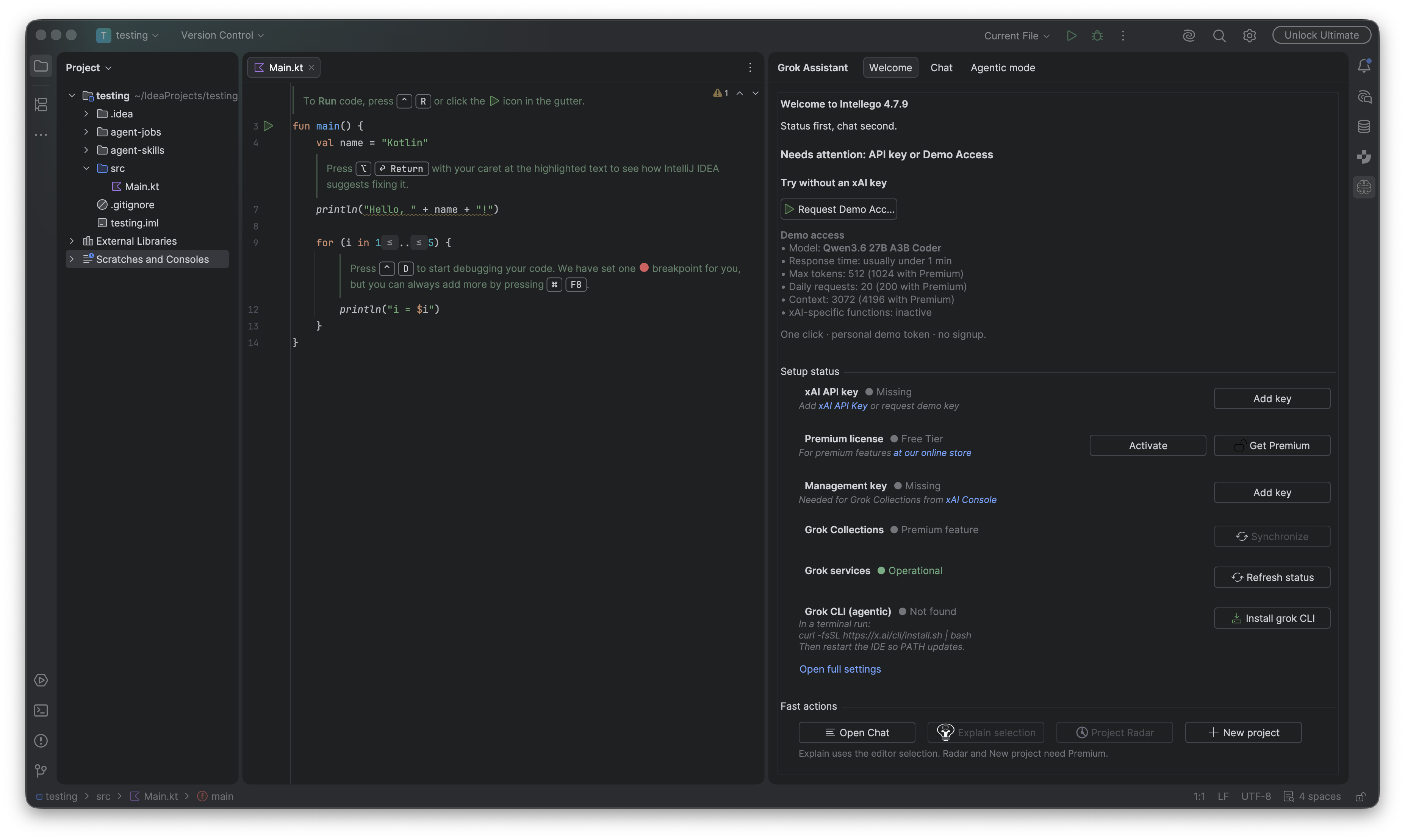
Add key, Activate, and Test Connection happen on the Welcome row. Full Settings is the link underneath.
Open Grok Assistant. Welcome is already selected. The heading is Welcome to Intellego plus the plugin version installed in that IDE. These shots read 4.7.9. Under the heading: “Status first, chat second.” With nothing stored yet, the summary is Needs attention: API key or Demo Access.
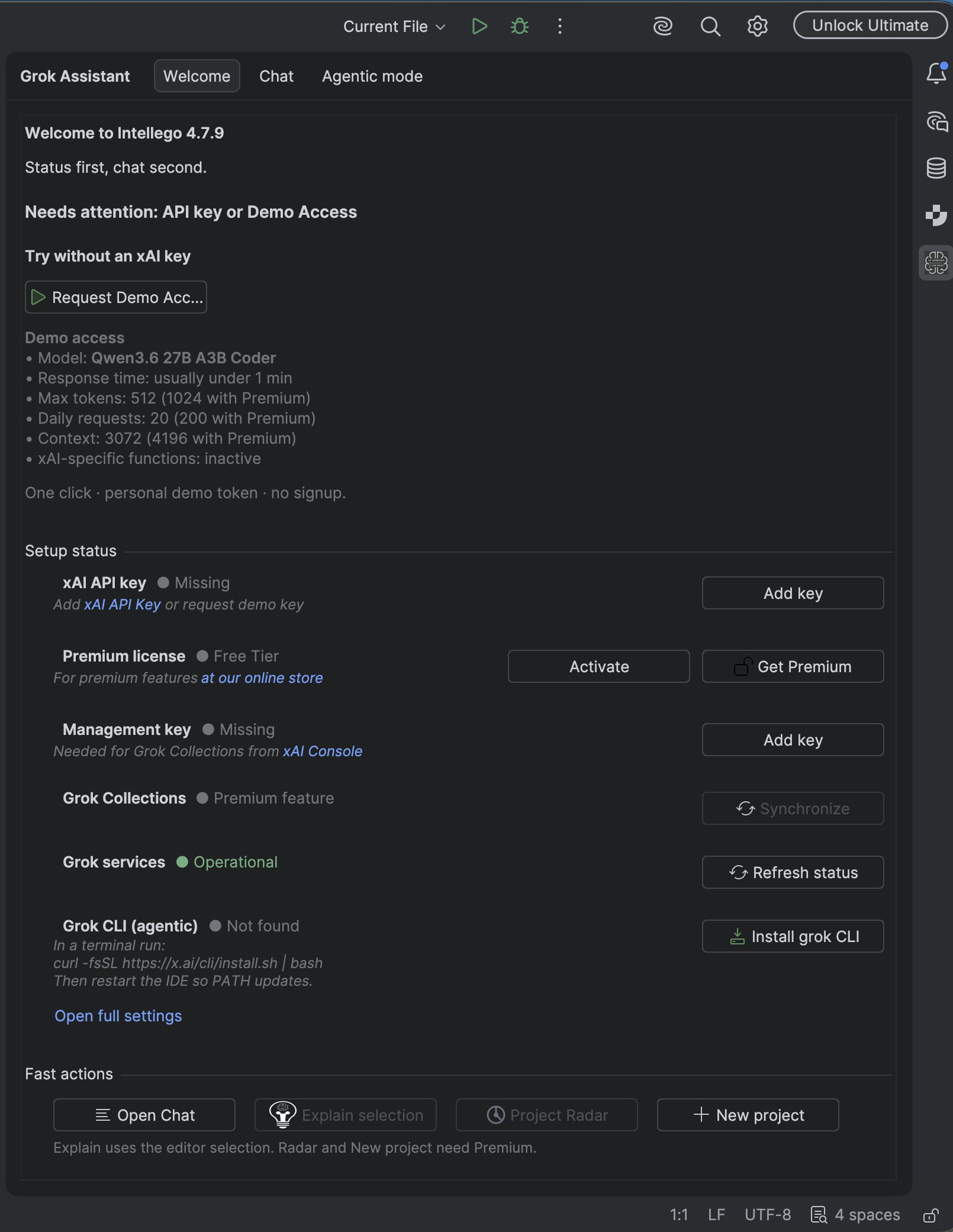
Try without an xAI key shows Request Demo Access. The limits sit on the tab before you click: model Qwen3.6 27B A3B Coder, usually under a minute, 512 tokens (1024 with Premium), 20 requests a day (200 with Premium), context 3072 (4196 with Premium). xAI-specific functions stay inactive. The line under the list is “One click · personal demo token · no signup.” The token goes in the IDE password safe.
On the row
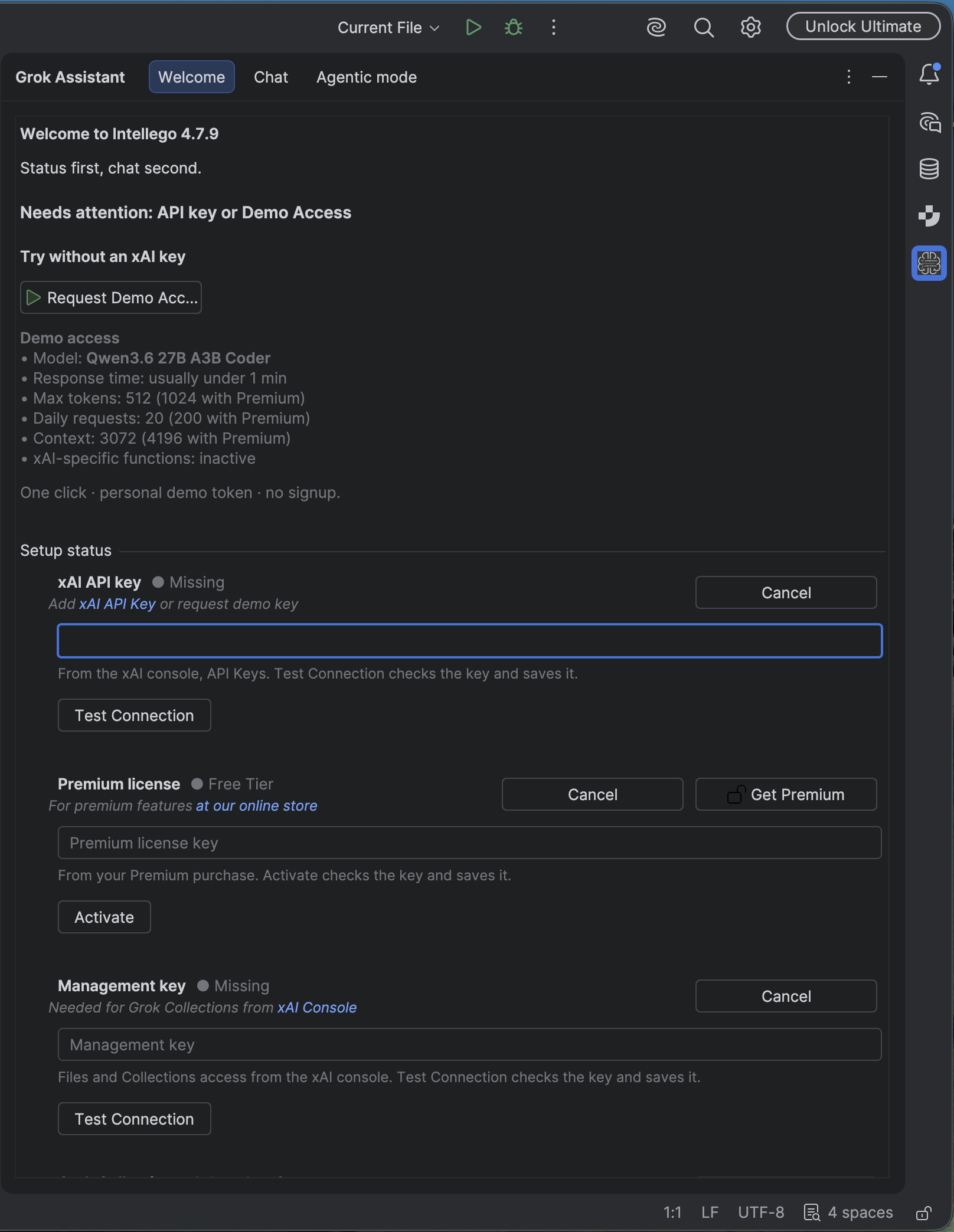
The xAI API key row reads Missing until Add key. That opens a field on the row. The hint: from the xAI console, API Keys. Test Connection checks the key and saves it when api.x.ai accepts it. A working key leaves demo mode. Cancel closes the field and saves nothing.
Premium reads Free tier. Activate opens the license field. The hint: from your Premium purchase. Activate checks the key and saves it. Get Premium stays beside it. Free is Welcome, Demo or your key, chat, and Explain. Premium is Agentic, Collections, and Radar, with a 14-day trial. The fast-action line says Explain uses the editor selection, and Radar and New project need Premium.
The management key row is Missing until Add key. That key is for Grok Collections. Test Connection checks Files and Collections access and saves the key when the check succeeds. Until then the Collections row says Premium feature.
Open full settings is Settings → Tools → Grok Assistant, for model prompts and the rest.
If grok is not on PATH, the CLI row says Not found and offers Install grok CLI, with the official install command on the row. Restart the IDE so PATH updates. Grok services can already read Operational. That row has Refresh status.
Green still means OK.