Product · commercial
Intellego
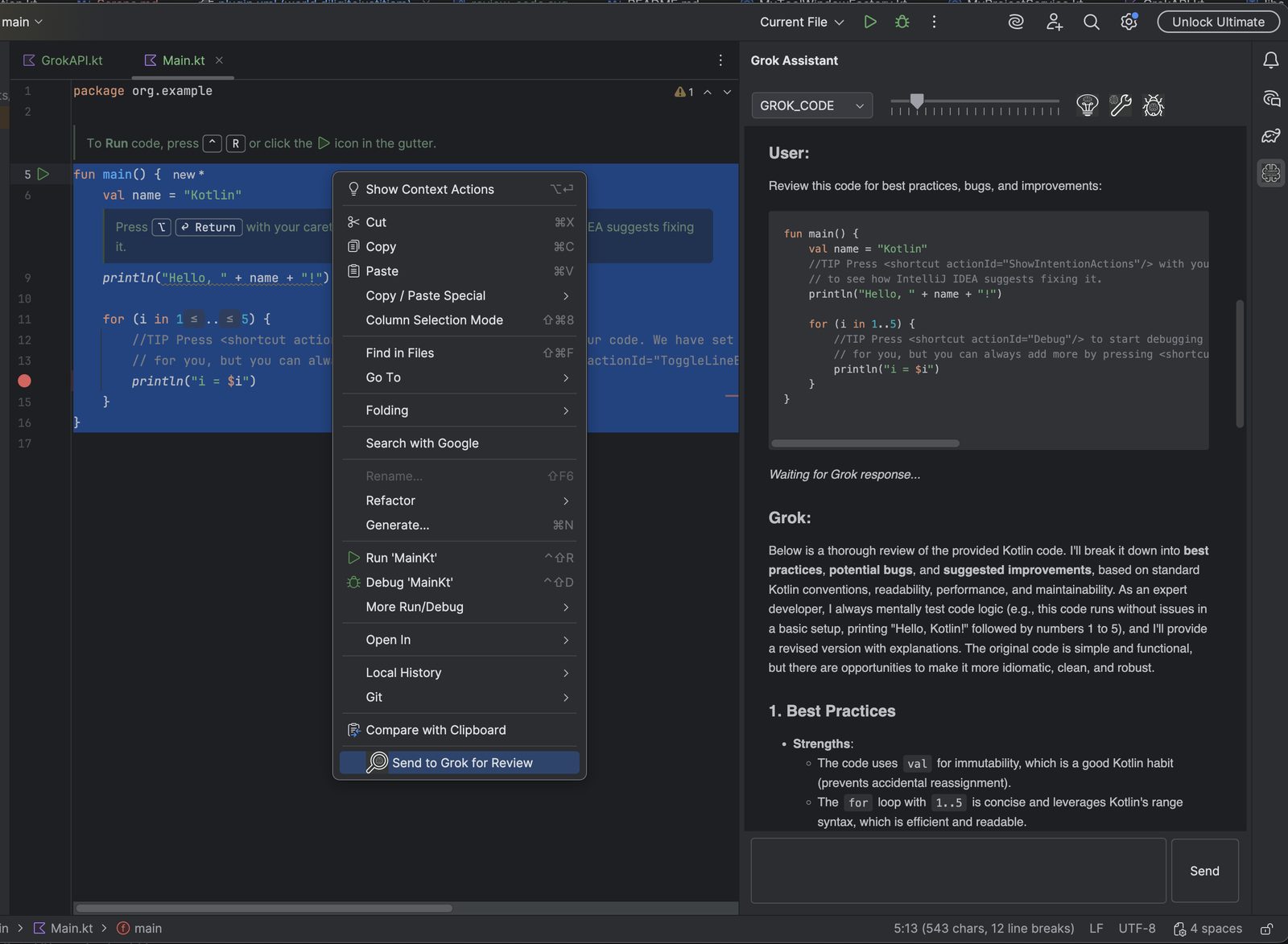
Grok in the JetBrains editor. Explain a selection, review it, or hand the project to the official grok tool.
Select code in IntelliJ IDEA, Android Studio, or another JetBrains IDE and send it to Grok. Free covers chat, Explain, and about five Reviews a day. Premium adds Refactor, Debug, Collections, Radar (a pass over the project), web and X search, and Agentic. Agentic runs the official grok command in the project. The journal shots show grok-4.7. Welcome is the setup screen.
Demo Access is a capped model hosted by us, not Grok. It is Qwen3.6.
Free and Premium
$4.99/mo, $49.90/yr, or $99 Lifetime. Tax is added at checkout. Monthly and yearly include a 14-day trial. xAI bills the model when you use your own key.
| Feature | Free | Premium |
|---|---|---|
| Welcome, chat, Explain | Yes | Yes |
| Auto-insert and response summary | Yes | Yes |
| Reviews | About 5 a day | Full |
| Agentic (official grok in the project) | No | Yes |
| New project from a skill | No | Yes |
| Collections | No | Yes |
| Project Radar | No | Yes |
| Web search and X search (your own xAI key; off in Demo Access) | No | Yes |
| Refactor | No | Yes |
| Debug | No | Yes |
| Model switcher and temperature | No | Yes |
| Stateful chat | No | Yes |
| Saved chat history | No | Yes |
| Custom prompts for Review, Refactor, and Debug | No | Yes |
| Copy last response | No | Yes |
| Generate API documentation | No | Yes |
The list matches the license checks in the plugin. Explain’s own prompt stays editable without Premium.
Checkout and activation: Intellego Premium.
Support
Product support: developer@diligiteiustitiam.world
Billing: office@diligiteiustitiam.world
Issues: github.com/diligiteiust/intellego-plugin
Journal
-
Full Agentic is the project, then Execute
Premium. New Intellego Project copies an official skill into a real tree. The Agentic tab runs grok there, on grok-4.7, one job, ten minutes.
-
Setup stays on the Welcome row
Add key, Activate, and Test Connection happen on the Welcome row. Full Settings is the link underneath.
-
Skills are markdown. Jobs are receipts.
A skill is a markdown file in agent-skills/. Pick it, Auto copy fills the input, edit, Execute. Add skill saves the current input without running it.
-
Android Studio on the default runtime
Older builds leaned on JCEF. That broke people on the default Android Studio JBR.
-
Your key. Your send. Our plugin does not keep a copy.
Intellego does not invent a second account. You paste an xAI key, or you ask for Demo Access. Those chats go to our demo server. The model is Qwen3.6, not Grok.
-
Explain, Review, Refactor, Debug
Select code. Use the action. The selection is already in the prompt. That is the whole trick.
-
Demo Access is not Grok
Welcome can enroll a personal demo token with one click. No console. The token lives in the IDE password safe. It never appears as text in Settings.
-
Free is the taste. Premium is Agentic.
We used to say the plugin was fully functional for free. That sentence taught people not to pay.
-
Project Radar is a pass, not a chat
Radar is a Welcome action. It is not another place to paste a question. It walks the project (with Collections and a real key, not demo) and writes a pass you can read.
-
Collections: the project, not a paste
Chat without context is a parlor trick. Collections uploads selected files to xAI so Grok can answer from the tree.
-
Agentic mode is grok in the project
Agentic mode is not a second chatbot. It runs the official Grok Build CLI (grok) headless in the project root.
-
The Welcome tab is the cockpit
Welcome is the setup screen. We call that the cockpit. You should not have to hunt Settings before you know whether Grok will answer.