nuncsonat
Nunc Sonat 1.14
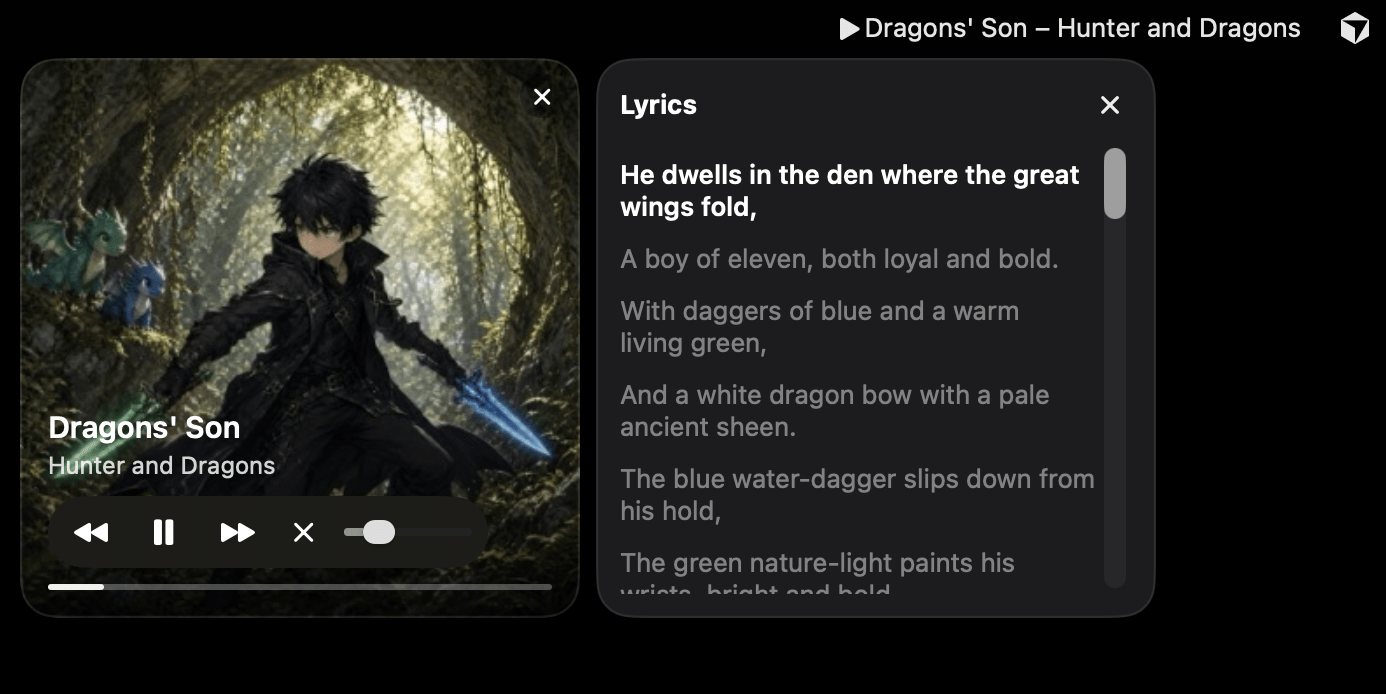
1.14 is the first public release since 1.10. A menu-bar remote for an Apple TV, a HomePod, or Music on this Mac.
Free. In sync with the room. When an Apple TV AirPlays to a HomePod or other speakers, the title, the playhead, and the lyrics wait out the AirPlay buffer. They match what you hear, instead of running a couple of seconds ahead.
Free. Drag to seek. The mini player’s progress bar can be dragged or clicked to seek on an Apple TV, a HomePod, This Mac, or a Pilot Mac. The time shows while you drag. On AirPlay speakers, it lands where you let go.
Free. Local Network. If macOS blocks Local Network access, the mini player and the menu explain how to fix it, with Open Local Network Settings and Quit buttons and a one-time notification. A speaker that is just off does not trigger it.
Premium lyrics. These are part of Premium lyrics, not separate upgrades.
Debug mode. In Settings > Lyrics, off by default. The mini player shows elapsed and total time, such as 2:34 / 4:12, and each line shows its timestamp.
Fix timing. In debug mode, a Fix timing checkbox sits next to the lyrics title. While it is checked, clicking a line sets that line to the current song time.
Lyrics fix folder. Corrections are saved as .lrc in ~/Music/lyrics-fix, or in a folder chosen in Settings > Lyrics. That folder is checked first when lyrics load. Clear lyrics cache and Reset do not touch it. Reset timing removes just the current song’s fix, after you confirm.
Plus internal improvements.
Requires macOS 14 or later, Apple silicon or Intel.