nuncsonat
Nunc Sonat 2.20
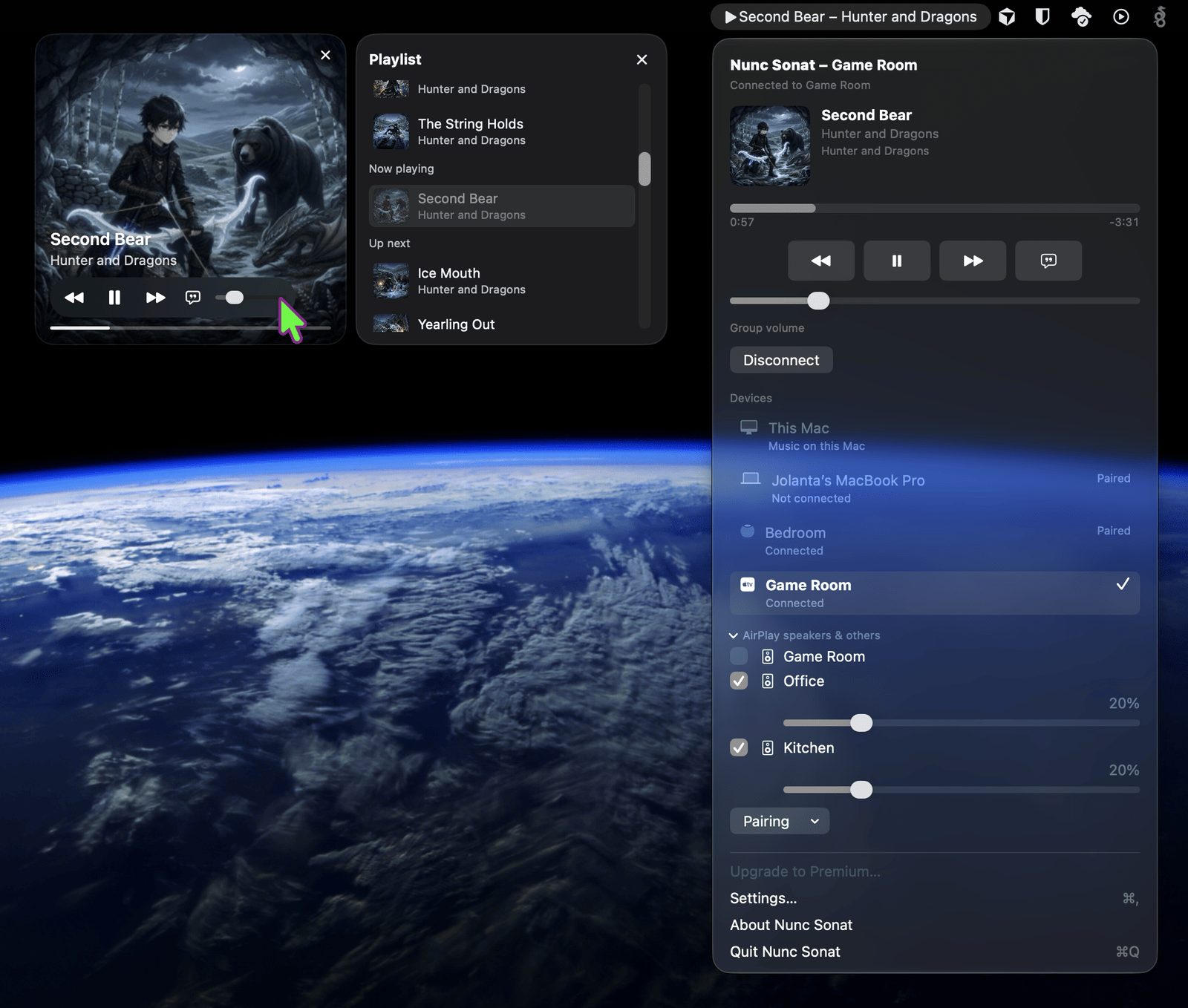
2.20 is the first release with support for the Nunc Sonat app for Apple TV, which is coming soon to the App Store. The mini player also gets Info and Lists tabs, and Playlist Rules builds a new playlist from the ones you already have. These notes cover everything since 1.15.
Free. The Apple TV app. Pair the Mac with the Nunc Sonat app on the Apple TV in Settings > General > Apple TV app. Nunc Sonat wakes the Apple TV, opens the app, and shows a 6-digit code on the TV. Type that code on the Mac. The connection is encrypted and reconnects by itself. The TV shows big artwork, the title, progress, and play, pause, previous, and next, with Playlist, Lyrics, Info, and Settings tabs. Top Shelf shows the song that is playing, or the last one played. The app is free. It needs tvOS 16 or later, and it can’t be installed until it is in the App Store.
Premium. Playing on Apple TV. Send a Music playlist, or an artist’s least-played songs, from the Mac to the Apple TV. Play wakes the TV, opens the app, and starts the music. It plays through the Apple TV’s own Music player, so it keeps playing if you leave the app. A playlist plays in its own order, the same order the iPhone and Apple TV show. You can also play on this Mac through the Apple TV’s speakers, in Settings > General > Play on this Mac.
Free. Info tab. Info shows the current song’s title, track number, BPM, artist, album, time, genre, language, and when it was last played. You can copy any value.
Premium. Lists and Playlist Rules. Lists shows your Music library playlists and your Nunc Sonat playlists. Double-click one to play it on this Mac, a HomePod, an AirPlay speaker, or the Apple TV. Playlist Rules builds a new playlist from the lists you select. You can filter by play count, BPM, rating, genre, and how long since a song was played, and a live count shows how many songs match. The playlist can be saved to your Music library.
Playlist tab. The whole queue, with the song count and total time, for example “Playlist 12 (45:28)”. Double-click a song to jump to it, on this Mac or on the Apple TV. Jumping to a song is Premium. If the Apple TV can’t play some songs, they stay in the list, and the tab says how many can play, for example “Playlist 16 of 20 playable”.
Premium. More than one Mac. Several Macs can share one Apple TV. The Mac that sent the most recent playlist runs the queue. The others follow the song the TV is playing, and every paired Mac shows the TV’s full queue.
Reconnecting. When an Apple TV restarts, the Mac keeps trying to reconnect, with a countdown to the next try, and connects as soon as the TV is back. The mini player keeps the current song through a short dropout or a blank update.
Fixes. The Update available notice goes away after you update. Japanese and English versions of a song are no longer mixed up when they share an album and length. Pairing errors clear once pairing succeeds.
Requires macOS 14 or later, Apple silicon or Intel. The Apple TV app needs tvOS 16 or later.