
Product · commercial
Nunc Age
One to-do list for everything your AI agents need from you.
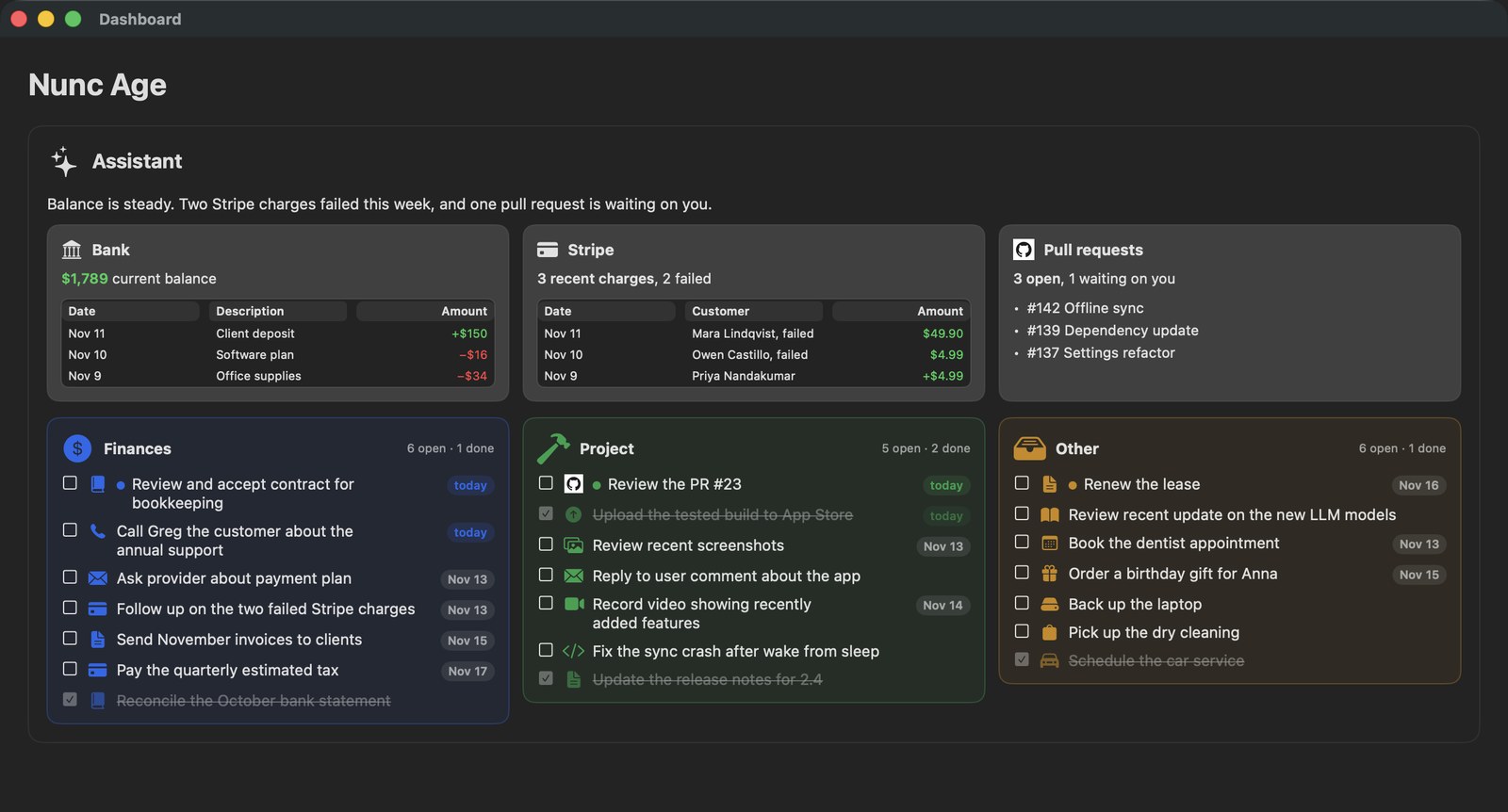
Your AI agents do a lot of work for you, mostly on their own, so you can focus on other things. But some tasks still need you: approving an agent’s work, choosing between proposed solutions, reviewing research, checking screenshots. That list grows fast, and it’s hard to keep track of.
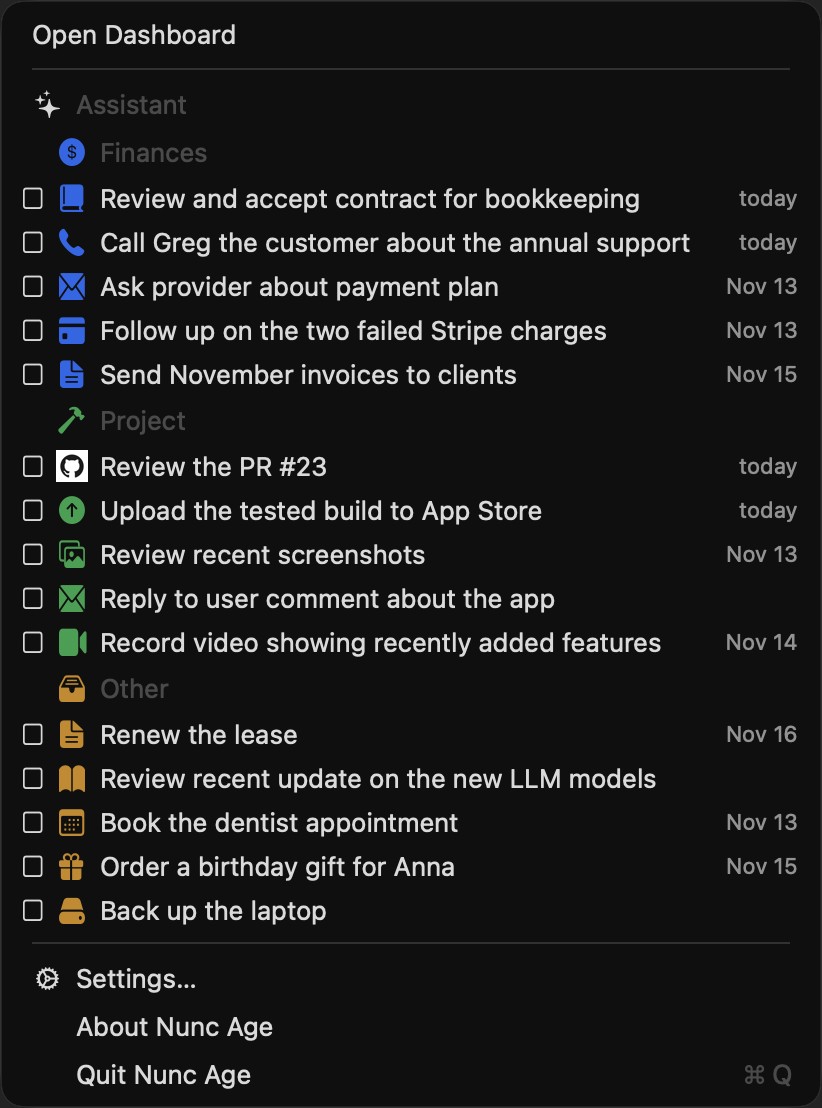
Nunc Age collects those tasks from all your agents into one to-do list in your Mac’s menu bar. When you tick an item, the agent that asked for it is told it’s done.
Free · notarized · macOS 14 or later
Version 2.6 · Release notes · All releases · Manage subscription
Works with your agents
Install the skills from Settings, or from a terminal: npx skills add diligiteiust/NuncAge-App -g
Free and Premium
$9.99/yr or $19.99 once. No trial. One key works on up to 3 Macs. Prices exclude tax. Stripe adds any tax at checkout.
| Feature | Included |
|---|---|
| Menu-bar list | Free |
| Markdown dashboard with info cards | Free |
| Icons for sources, sections, and items | Free |
| Agent skills, installable from Settings | Free |
| Tick an item done from the menu or the dashboard | Premium |
| The tick is written to the folder, so the agent that owns the item sees it | Premium |
| Answer a question from the menu or the dashboard | Premium |
| The answer is written to the folder, so the agent that asked sees it | Premium |
Prices and the license key: Nunc Age Premium.
FAQ
Where are my lists?
In a folder on your Mac. The default is ~/NuncAge. You can choose another folder in Settings.
What if the folder is empty? On first launch, Nunc Age writes a few sample lists, including a question. Existing files are left alone, and the samples are not written again if you delete them.
Which agents? Cursor, Claude Code, Codex, Grok Bot, or any script that can write a file.
Do I need an account? No.
Support
Product support: developer@diligiteiustitiam.world
Billing: office@diligiteiustitiam.world